
Solo birthday melody
One photo, one voice
Singing Photo — Make Your Photo Sing
Create a 5–15 second singing video from your photo and a theme, with an original AI melody and vocals. Uploaded-song lip sync is not available.
Last updated:
Upload one photoVertical format
Usually 3–5 minutes; busy periods may take longer.
Singing Photo — Make Your Photo Sing3 REAL VIDEOS
Solo thank-you song
Melodic duet
These samples include solo performances and a singing duet. The tool starts in solo mode; switch the upload mode to sing together.
YOUR PHOTO SINGING STUDIO
Create an original singing clip from your photo
Upload one photo to start your Singing Photo.
Singing Photo in 3 Steps
Start with one recognizable face
Upload one clear portrait for a Singing Photo solo; select duet mode only when both singers should appear.
Give the voice something personal to sing
Describe one message for the Singing Photo: a greeting, memory or dedication.
Sing solo or share the microphone
Review the Singing Photo’s face, mouth movement and melody, then download its MP4 within 30 days.
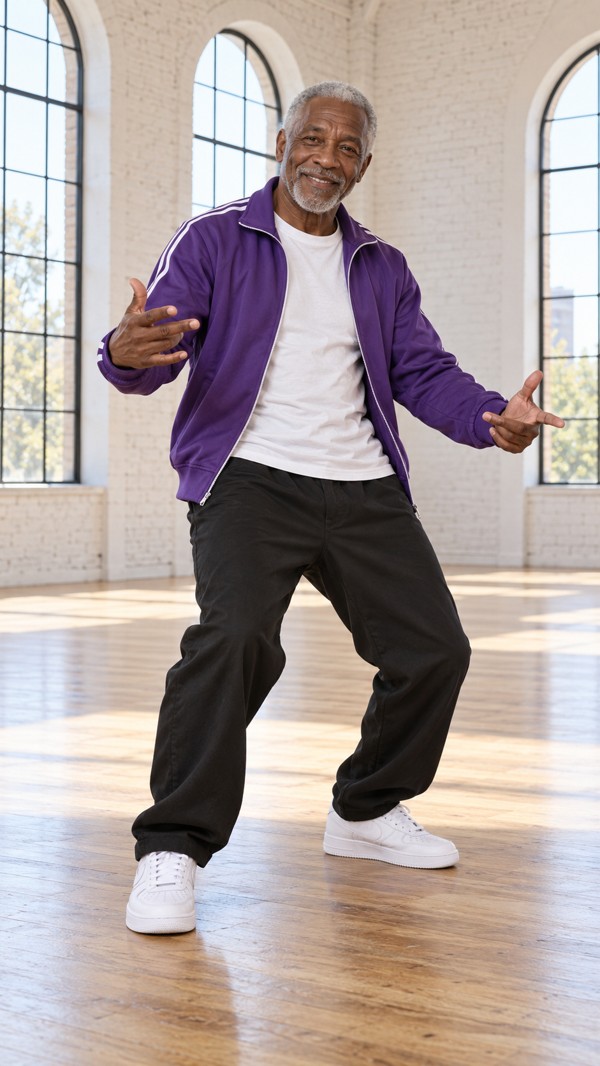
Singing Photo Video Ideas
For Singing Photo, start with this example and replace the names and details: Leo sings a cheerful birthday message about a year of small victories.
Start with one recognizable face
Upload one clear photo of one person for a solo performance. Keep the face unobstructed and show the outfit you want to preserve. A portrait can stay a portrait: a full-body photo is only needed if you want visible footwork.
Give the voice something personal to sing
Add a birthday name, a shared memory or a short message. Choose one of six vocal languages and let the model compose a concise original melody. Describe an idea rather than pasting a full song into a ten-second clip.
Sing solo or share the microphone
The default is one performer. Switch to two separate photos or a shared photo for a duet. Choose vertical, square or landscape output, then review the credit estimate before generating. The examples show duet possibilities as well as the tool’s visual style.
How it works
How to Make a Photo Sing
Start with one recognizable face
Upload one clear portrait for a Singing Photo solo; select duet mode only when both singers should appear.
Give the voice something personal to sing
Describe one message for the Singing Photo: a greeting, memory or dedication. Select the vocal language for the original melody and AI vocals.
Sing solo or share the microphone
Review the Singing Photo’s face, mouth movement and melody, then download its MP4 within 30 days. Uploaded-song lip-sync is not supported here.
Photo tips: Upload one clear photo of one person for a solo performance. Keep the face unobstructed and show the outfit you want to preserve. A portrait can stay a portrait: a full-body photo is only needed if you want visible footwork.
Pricing
Simple credit packs.
One-time credit packs for your next idea.
Starter
$6.99 / one time
30 credits · one time
- Rap scenes
- 3 × Mini · 12s · 720p
- one time
Creator
$24 / one time
110 credits · one time
- Rap scenes
- 11 × Mini · 12s · 720p
- one time
Crew
$59 / one time
300 credits · one time
- Rap scenes
- 30 × Mini · 12s · 720p
- one time
Studio
$99 / one time
666 credits · one time
- Rap scenes
- 66 × Mini · 12s · 720p
- one time
Sign in to purchase a one-time credit pack and generate videos. The exact credit cost is shown before submission. Contact support · [email protected]
Singing Photo: Length, Quality and Pricing
Singing Photo: Choose your format, length and model before generating. The form shows the exact credit cost.
- MP4 with synchronized original audio · 9:16, 1:1 or 16:9
- 5, 8, 10, 12 or 15 seconds
- Usually 3–5 minutes; busy queues or provider issues can take longer.
- English, Mandarin Chinese, Italian, Spanish, Portuguese and French
- Upload one clear photo of one person for a solo performance. Keep the face unobstructed and show the outfit you want to preserve. A portrait can stay a portrait: a full-body photo is only needed if you want visible footwork. JPG, PNG or WebP, up to 10 MB per photo.
- Private account playback and downloads for 30 days. Download an MP4 to keep a local copy.
Compare models and durations ↗ · One-time credit packs (USD) ↗
Payment availability and payment mode are shown in the pricing section. Check the amount before proceeding.
Upload one clear photo of one person for a solo performance. Keep the face unobstructed and show the outfit you want to preserve. A portrait can stay a portrait: a full-body photo is only needed if you want visible footwork.
FAQ
Singing Photo FAQ
How do I make a photo sing an original song with AI?
Upload one clear portrait for a Singing Photo solo; select duet mode only when both singers should appear. Describe one message for the Singing Photo: a greeting, memory or dedication. Review the Singing Photo’s face, mouth movement and melody, then download its MP4 within 30 days.
Can I create a singing photo video from just one image?
Yes—one clear photo is enough for the default solo mode. Use an unobstructed face and retain the outfit you want in the clip. Older photos can work if details are clear; use children’s photos only with appropriate guardian permission.
Does Singing Photo generate an original song or use uploaded music?
It creates a short original melody, lyrics and AI vocal performance from your theme. It does not accept a song upload, match an existing recording or provide exact lip sync to your chosen track.
Can I make an anime or cartoon character photo sing?
Yes—you can upload a clear image of a character you have permission to use and choose Character Stage. The prompt asks to preserve the source drawing style. This is not a filter that automatically turns a real person into an anime character; AI style consistency can vary.
Can two photos sing a birthday or wedding message together?
Yes—switch to two separate photos or a shared photo of both people. Add their names and the birthday, wedding or other message. The duet prompt requests alternating melodic phrases and a short shared hook, with no reference video needed.
Which languages and durations can I choose for a singing photo video?
Yes—choose English, Mandarin Chinese, Italian, Spanish, Portuguese or French, and a length of 5, 8, 10, 12 or 15 seconds. A 30-second song is not a single supported generation. Check the credit estimate before submitting and review name pronunciation in the result.
What duration, quality and credit cost can I choose for singing photo videos?
Select an available model, resolution and 5, 8, 10, 12 or 15-second duration in the form. Supported combinations vary by model; the form displays the exact site-credit cost before submission. Credits come from one-time packs. This produces a short video, not a full-length song. A different model or longer duration may cost more.
Can I create singing photo videos for free?
There is no automatic free trial or free credit allowance for Singing Photo. Sign in, purchase a one-time credit pack, and check the displayed credit cost before generating. There is no subscription requirement.
Can I download singing photo videos for TikTok, and is there a watermark?
You can play and download the completed singing photo videos as an MP4 from your account for TikTok, Reels or other platforms. We do not add a site watermark. Download within the 30-day storage period. Before publishing or commercial use, obtain the necessary image, likeness and material rights, including guardian permission for children, and follow the service and platform terms.
Are credits returned if the generation of singing photo videos fails or I dislike the result?
Confirmed technical failures return the reserved site credits once. An uncertain submission is reviewed before any return, so it is not automatically sent again. A new version requested for a different creative result uses new credits. Contact support about duplicate charges or other billing problems.